
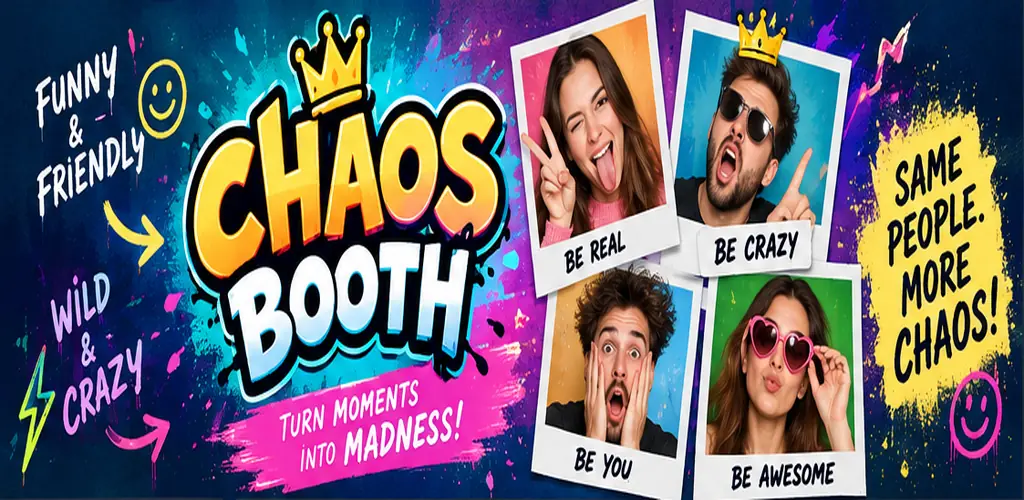
Chaos Booth now has a final design and a completed Android build. On 17 October 2026, I submitted that build to Google Play, where it is waiting in the review process. It is not a launch story yet, and it is definitely not a success story yet. It is the moment when a two-day idea became a real application ready to be judged outside my own phone.
The route to this version was not direct. The first build proved that the photo-challenge idea worked. A later prototype added collage styles, editable text and multiple formats, but I rejected its visual direction even though the mechanics were functional. The final Chaos Booth design keeps the useful parts of those experiments and gives them a much clearer identity.
Two moods, one simple idea
The final app still begins with the distinction that shaped the project from the start. Funny & Friendly is the lighter side, designed for easy photo challenges and playful collages. Wild & Crazy is louder and more theatrical, with stranger prompts and deliberately exaggerated results.
I gave the two sections different visual personalities without making them feel like separate applications. Funny & Friendly leans into cyan, blue and warmer cheerful details. Wild & Crazy uses magenta, violet and sharp lime accents. The colours tell the player which mood they are in before they need to read every label.


Both modes lead into the same basic promise: choose something that sounds fun, follow the prompts and let the app transform a few photographs into a finished creation. I wanted the interface to encourage action rather than explanation. The player should understand what to press next without studying a tutorial.
The challenges became the personality of the app
The challenge titles do much of the creative work. A name such as Before & After Coffee already suggests the expressions the player might make. Monday vs Friday creates an immediate contrast. Zombie Mode Activated invites a sequence of faces that becomes increasingly ridiculous.


The camera flow supports three-, five- and ten-second countdowns. That gives one person enough time to place the phone and move into position, while a group can choose a faster rhythm. After a successful photograph, the sequence can continue automatically. Pressing Retake interrupts that progression so a bad frame does not become part of the final collage.
Most challenges use four photographs, while a few work better with two or three. I kept that variation because not every joke needs the same structure. Some ideas benefit from four stages; others are stronger as one clear before-and-after comparison.
The editor stayed, but the presentation changed
I did not remove every feature from the unpublished prototype. The ability to adjust a completed creation was worth keeping. The final editor still offers Style, Text and Format, but it now belongs visually to the same application as the challenges that produced the collage.


The important difference is that editing is optional and comes after the fun. The app can produce a finished result without asking the player to make design decisions first. Anyone who wants more control can change the look, rewrite a caption or choose a different canvas. Anyone who simply likes the collage can save it immediately.
Creations and preferences stay on the phone
Completed collages can be kept in My Creations, with the two modes clearly separated. Countdown and sound preferences are also stored locally. Chaos Booth does not require an account or a cloud profile, and the photographs and optional background removal are processed on the device.


Sharing also remains a choice made by the player. On Android, pressing Share opens the system sharing interface and lets the player select an available destination. The app does not automatically publish a creation. That separation between creating, saving and sharing was important to keep the experience straightforward.
Submitted to Google Play
On 17 October 2026, the final Android build was submitted to Google Play and entered the review process. The screenshot below records that moment. It does not guarantee approval, downloads or an audience; it simply marks the point where the application left the private development stage and moved toward a public release.

What comes next
The next step is to wait for Google Play’s decision. If the app is approved, I will be able to watch what happens when real people discover it: whether they install it, which parts they understand immediately and whether the challenges are enjoyable outside my own testing.
Chaos Booth will remain an experiment I can follow honestly. The first milestone was proving that I could take an unfamiliar app idea from conversation to a working Unity project in two days. The second was refusing to publish a visual direction I did not believe in. This Google Play submission is the third. Whatever happens next—approval, revisions, downloads, reviews or silence—will become the next documented part of the project.
Leave a Reply